
You speak English, they hear Czech.
Drop translates voice and video calls live. On iPhone, Android and the web. No phone number or email needed.
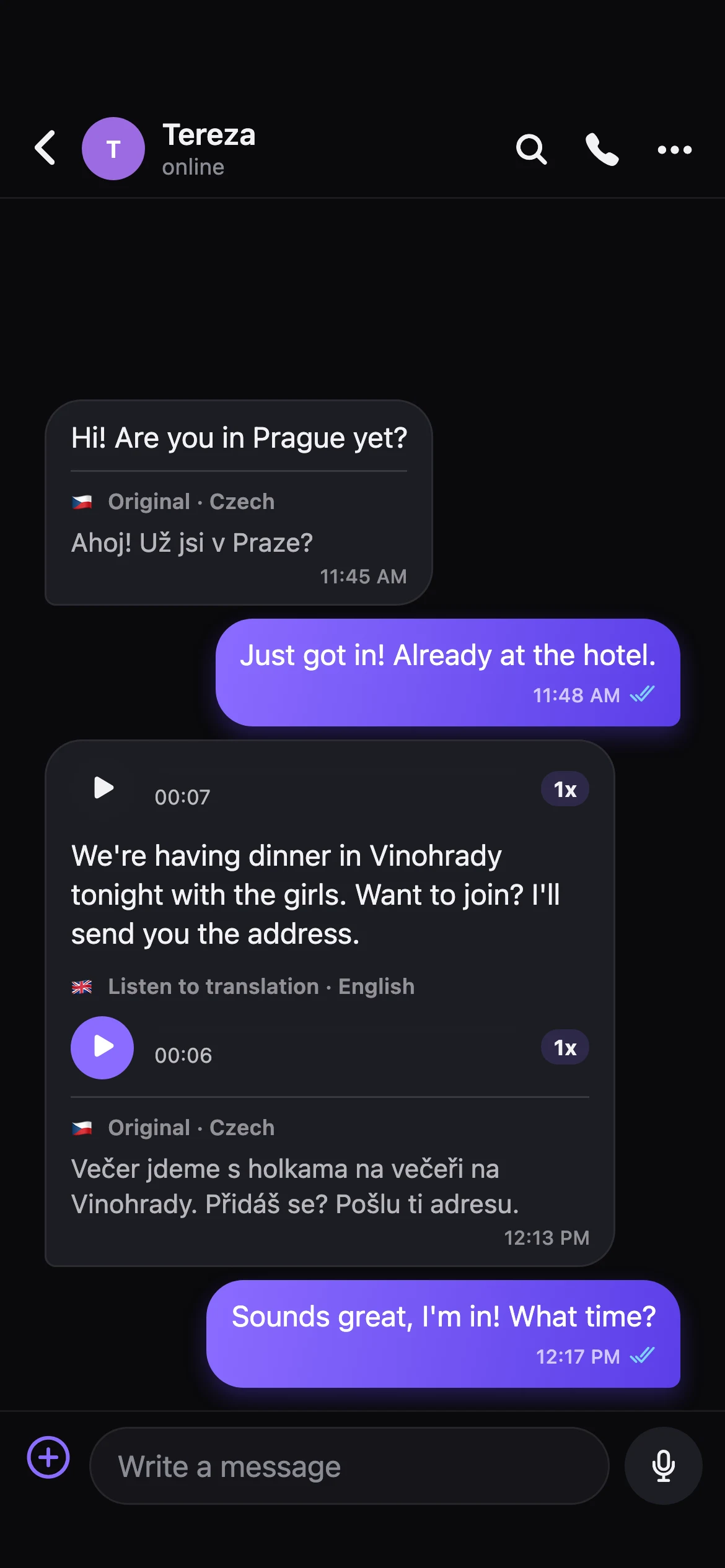
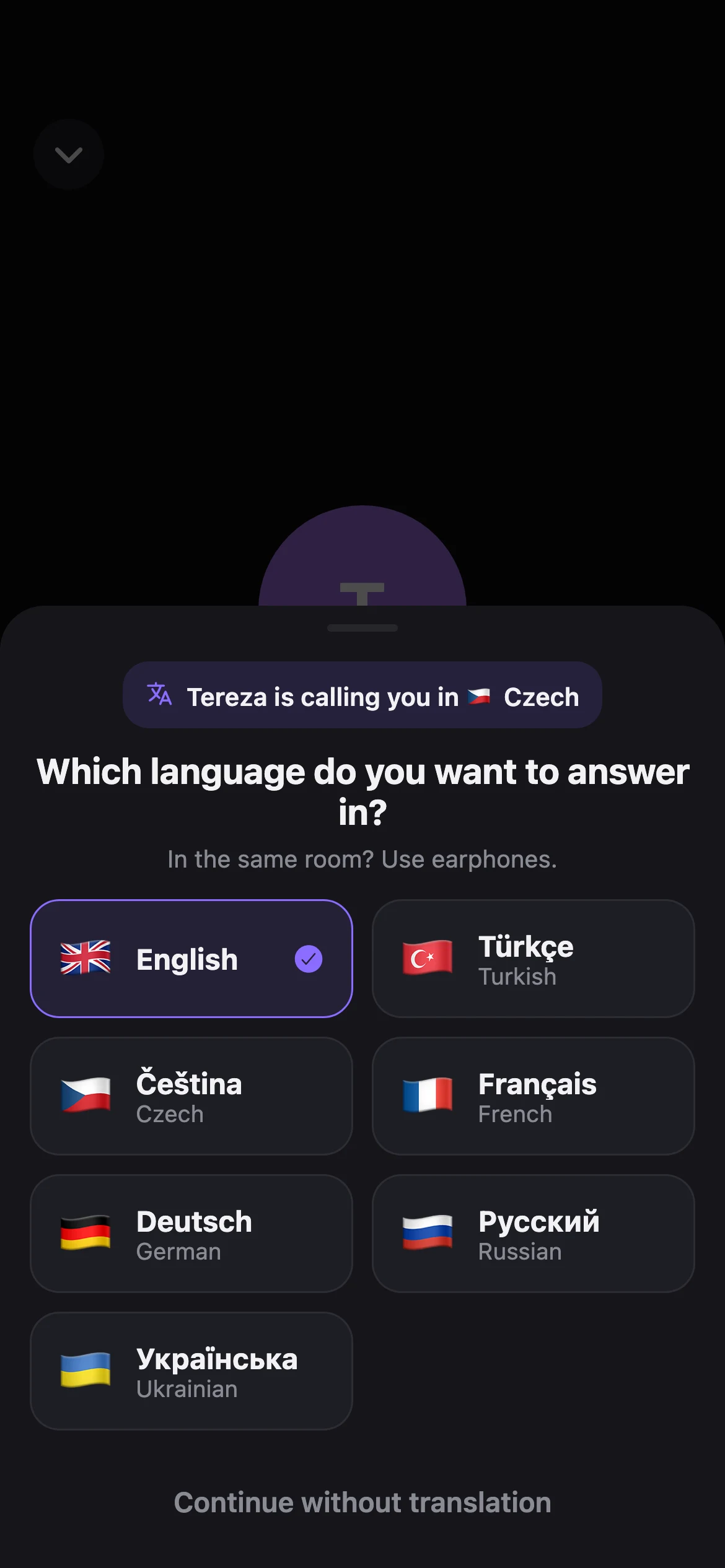
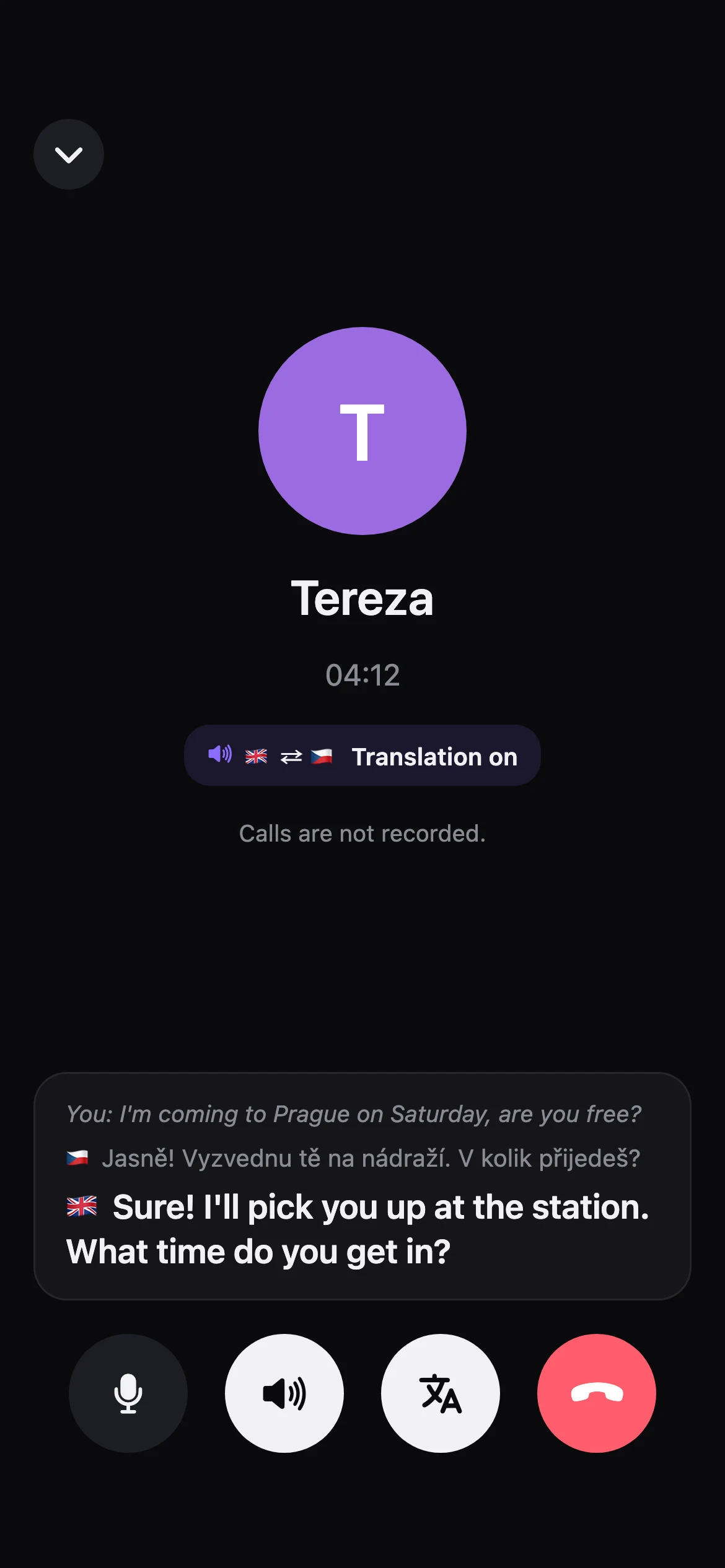
A simultaneous interpreter in your pocket.
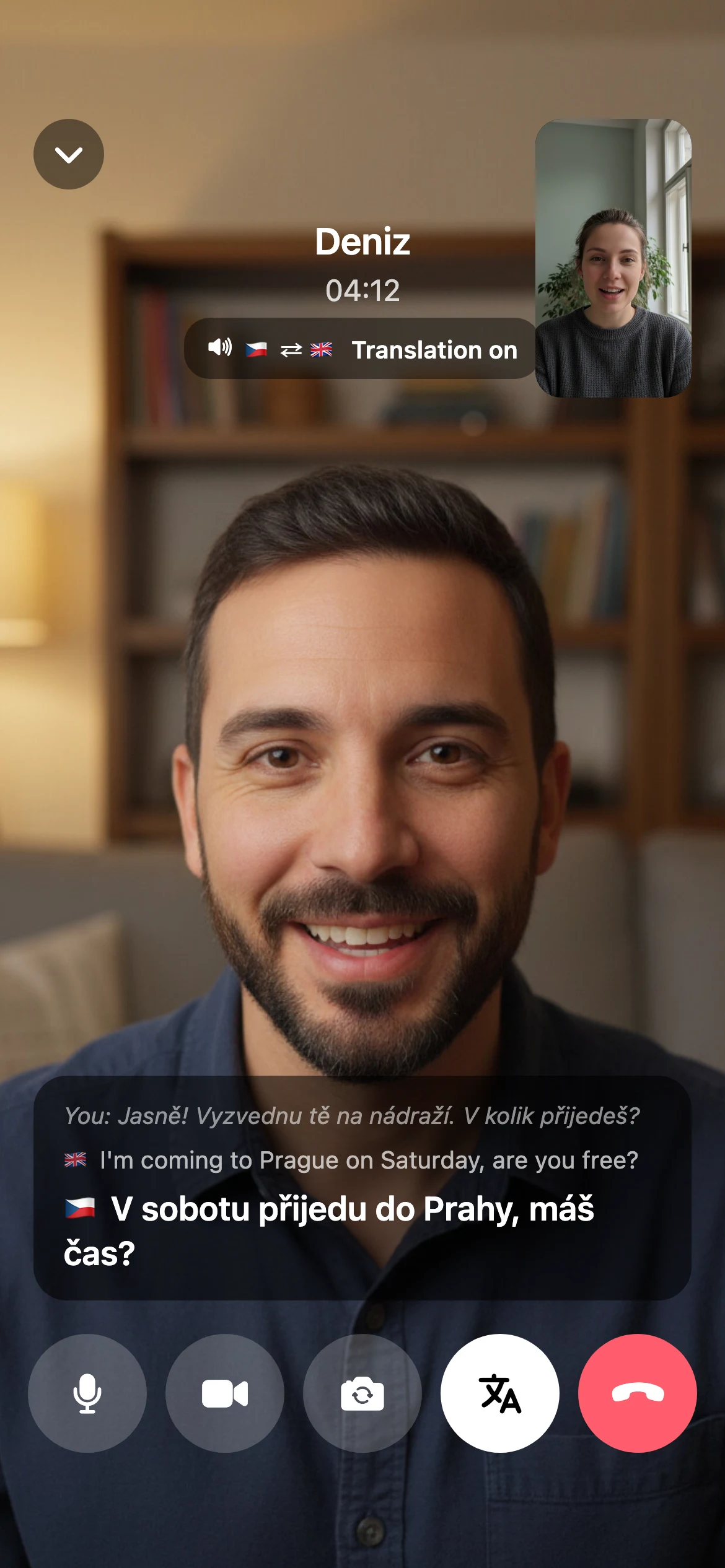
They speak their language. A few seconds later you hear them in yours, with captions on screen.
Live translation
ČeštinaVyzvednu tě na nádraží. V kolik přijedeš?
EnglishI'll pick you up at the station. What time do you get in?
TürkçeAnnem sana selam söyledi, hafta sonu bize gel!
EnglishMy mom says hi. Come over this weekend!
DeutschKönnen wir den Termin auf Freitag verschieben?
EnglishCan we move the appointment to Friday?
FrançaisLe dîner est prêt, tu arrives quand ?
EnglishDinner's ready, when are you getting here?
РусскийЯ уже у подъезда, спускайся!
EnglishI'm outside your building, come on down!
УкраїнськаДякую тобі за допомогу!
EnglishThanks so much for your help!
Everyone picks their own language
The caller picks the language they will speak, the other person picks the one they answer in. Pick the same one and translation stays off.
Voice or captions
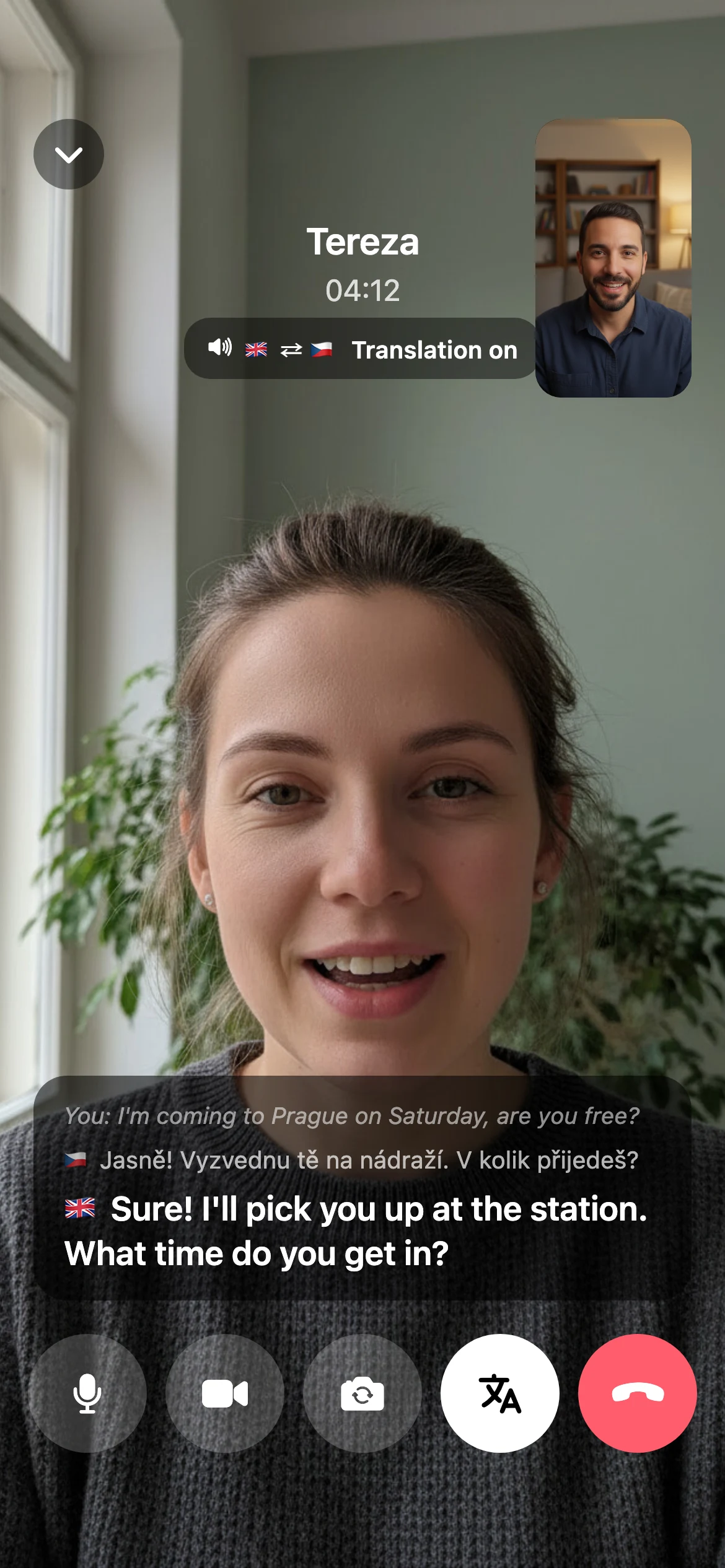
Listen to the translation or follow it in captions only. In video calls the captions sit on top of the video.
Calls are not recorded
Translation only runs while you talk. Nothing is left to play back later.
7 languages in calls
- Türkçe
- English
- Čeština
- Français
- Deutsch
- Русский
- Українська
Voice message translation covers the same languages.
Face to face, in two languages.
One video call, two screens. Tereza speaks Czech and you read and hear her in English. On her screen, the captions and voice are in Czech.
Voice messages in your language too.
When a voice or round video message comes in another language, you read it in yours and can play the translation out loud. The original stays right below.
Now you can talk to anyone about anything.
24 languages in chats, 7 in calls and voice messages.
- Türkçe
- English
- Čeština
- Slovenčina
- Deutsch
- Polski
- Русский
- Українська
- Français
- Español
- Italiano
- Português
- Nederlands
- Magyar
- Română
- Български
- Ελληνικά
- العربية
- فارسی
- Azərbaycanca
- ქართული
- 中文
- 日本語
- 한국어
Turn on Always translate in a chat and every new message arrives in your language, with the original underneath.
Whatever device you are on.
iPhone, Android and the browser all call each other, and translation works on each. To install on your phone, scan the code with the camera or tap the link.

Android
Direct install (.apk)
Download for AndroidAfter the download your phone may ask to allow installs from this source, approve it once. If you would rather install through Google Play, email [email protected] to be added to the internal test list.
Browser
Nothing to install
Open chat.prahapp.cz on your computer and sign in by scanning the QR code with Drop on your phone. Video calls and translation work there too.
chat.prahapp.cz
Open in browser
No number. No email.
This is your account the moment you open the app. Change the name whenever you like.
- Not required:
Phone numberWhatsApp and Signal require one to sign up. Drop does not. - Not required:
EmailNot at sign-up, not later. - Not required:
Contacts accessYour address book is never uploaded. - Not required:
PasswordNot required. Your login is stored on your phone; add a password later if you want.
Three more things WhatsApp and Signal don't have
Screenshots and recording
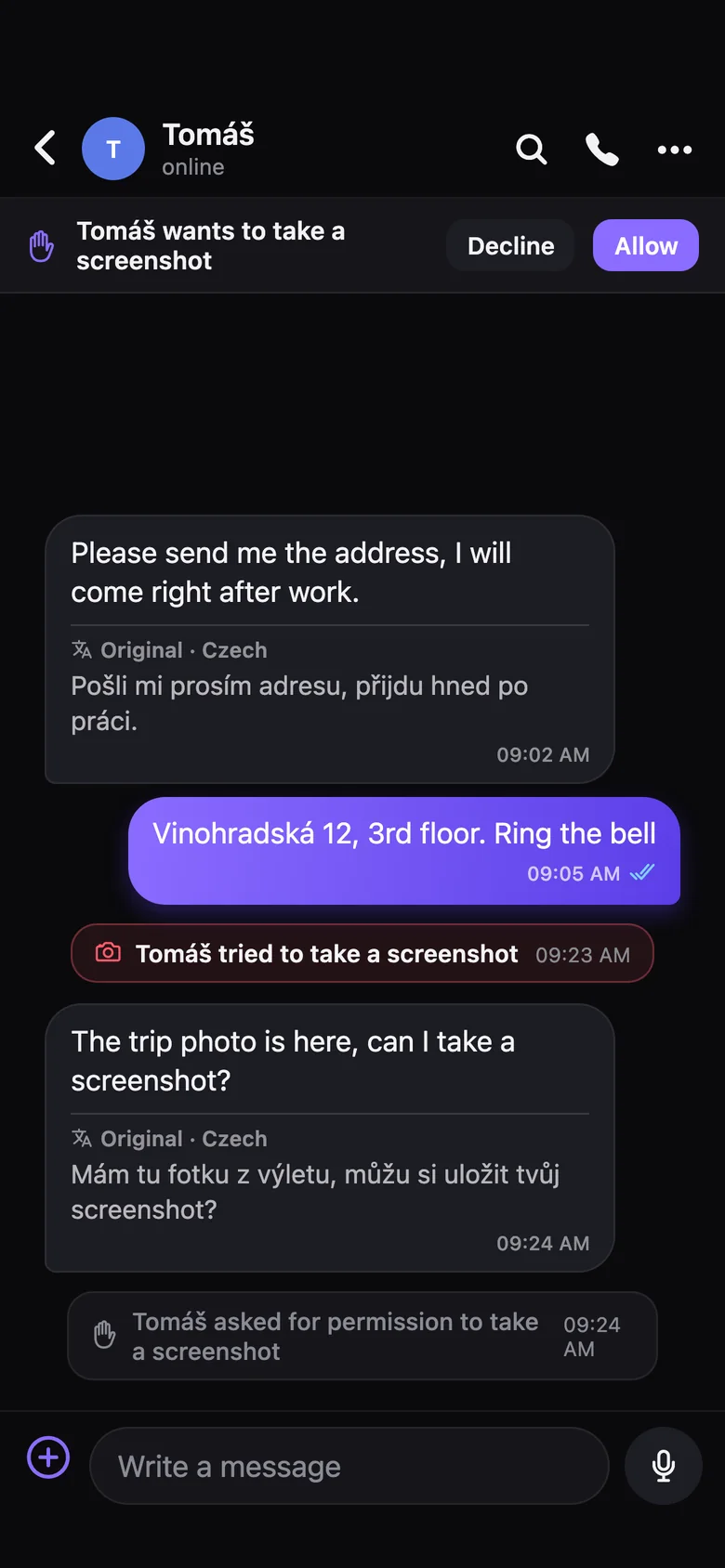
In the app, the other person can't take a screenshot or record the screen. On iPhone they can ask for one-time permission, and attempts without it show up in the chat. On Android both are blocked entirely. The browser version doesn't have this protection.
Debt ledger
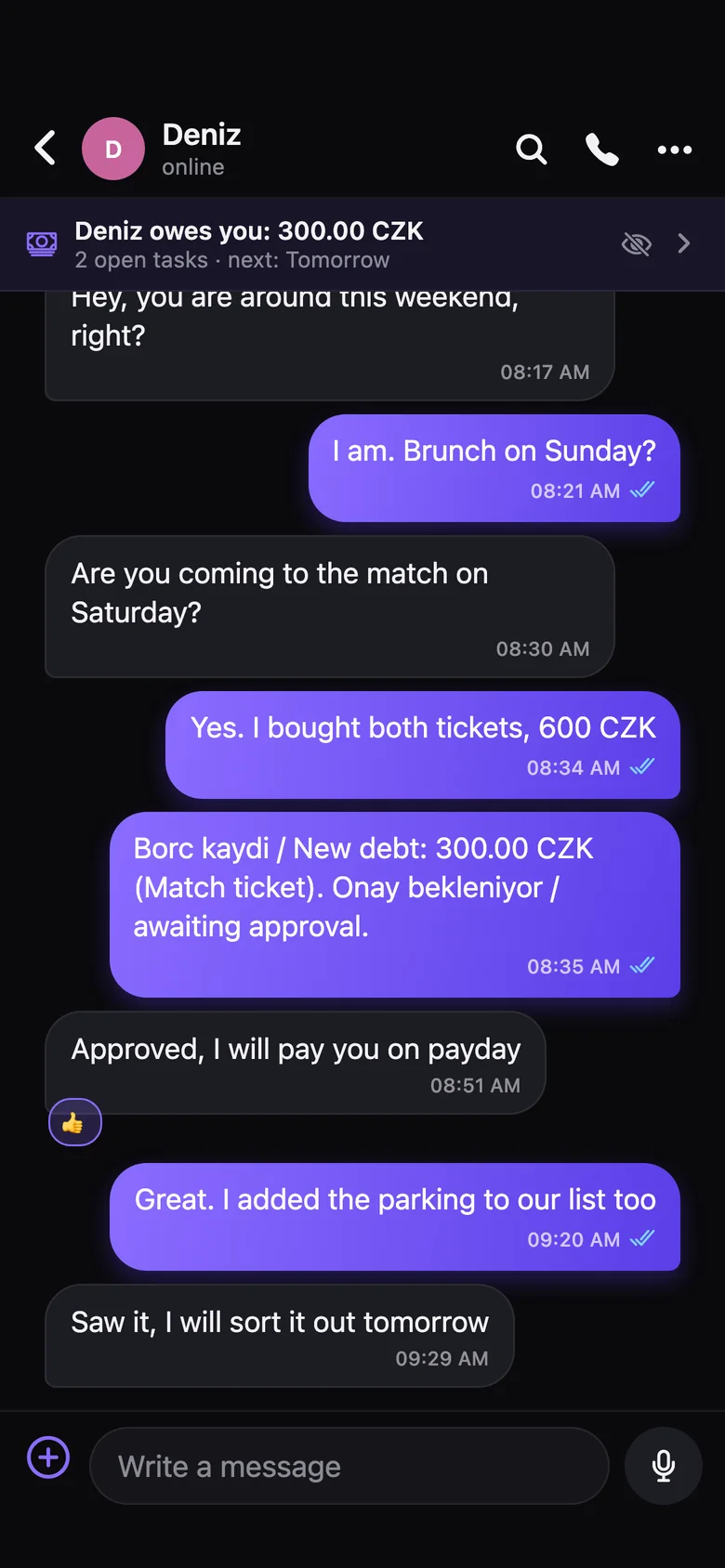
Log a debt from the chat. Once the other person approves, the record is locked and can't be deleted. TL, EUR, USD and CZK.
Shared tasks
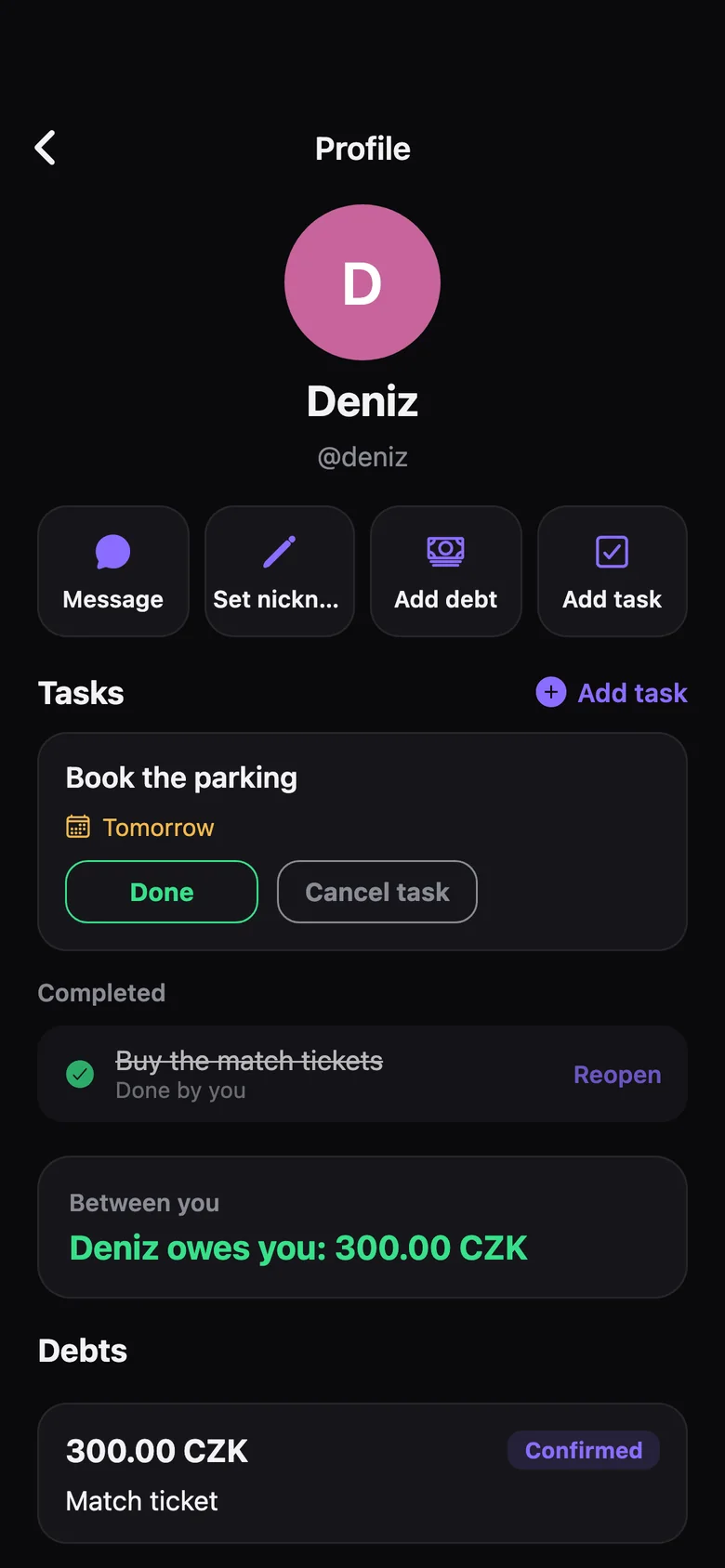
Put a date on something you both need to do. Drop reminds you the day before and on the day.
Privacy
- Clear history just for you
- Delete history for both sides
- Nicknames only you can see
- Hide online and typing status
- Disappearing messages
- View-once photos
- Chat lock
Chat
- Stories
- 2x voice note speed
- Browser login with QR
- Pinned chats
- Emoji reactions
Side by side
Feature
Drop
WhatsApp
Signal
Live voice translation in calls
Live captions in calls
Hearing a voice message's translation out loud
Message translation
Partly
Account without a phone number or SMS code
Chatting without showing your number
Partly
Use in a web browser
Other side can't screenshot or screen record (in the app)
Partly
Debt ledger approved by both sides
Shared tasks with due dates and reminders
WhatsApp and Signal were checked on 15 and 23 September 2026. Neither has built-in translation in calls. Some Samsung phones can translate calls in other apps with their own Live Translate feature, the table compares the apps themselves. WhatsApp usernames are rolling out gradually, screenshots are blocked only for view-once media, and message translation works on some devices and languages. How data is handled is described in the privacy policy.